AbriStitch
Language: English, EN
Get the app

Mark every stitch. Never lose your place.

A free cross-stitch tracker by Abris Art: scan the QR on your kit or import your own PDF chart.

Download on theApp Storecoming soonGet it onGoogle Playcoming soon
The app on a tablet: the chart on the left, the thread key with stitches left per colour on the right.
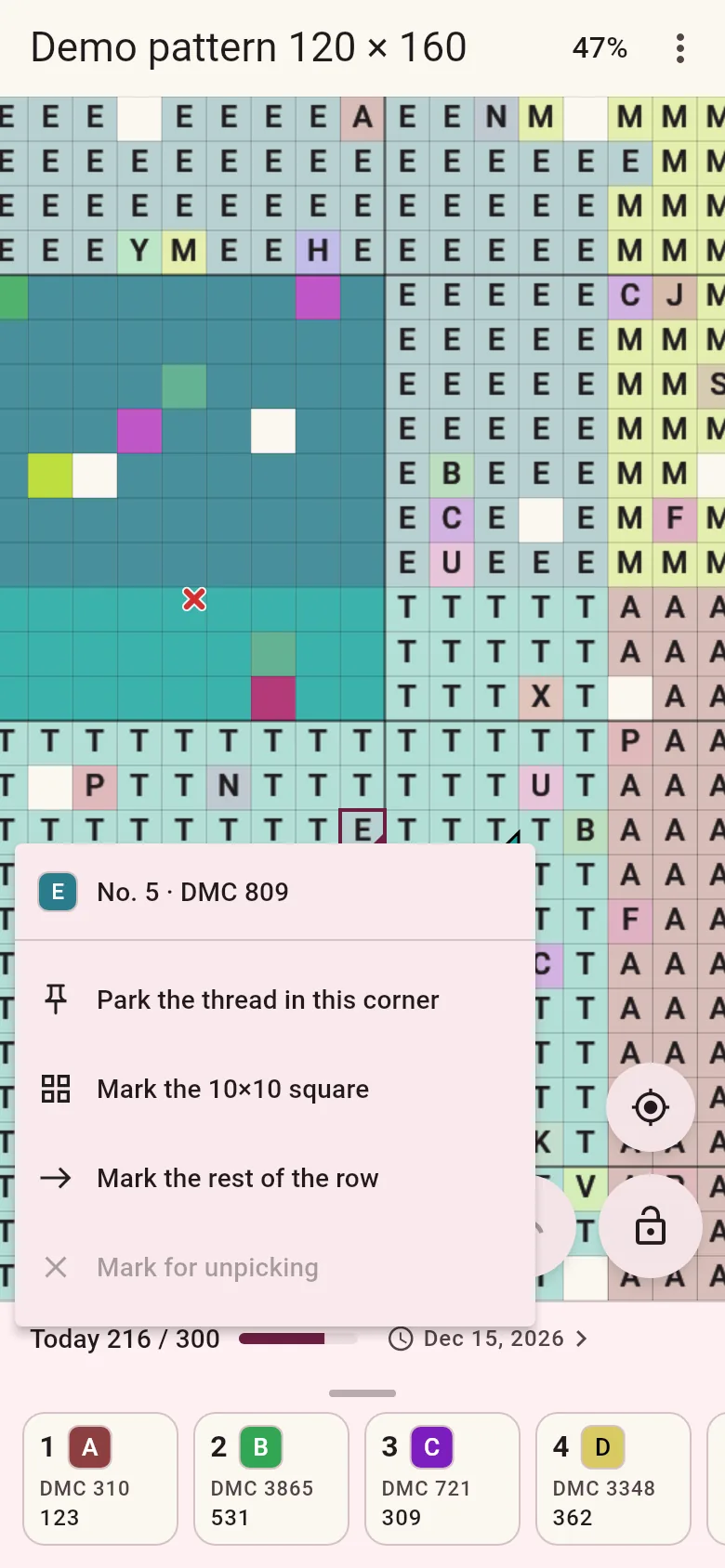
The app on a phone: a cross-stitch chart with symbols, one colour highlighted, stitched cells filled, and the thread key below with kit numbers and DMC.
Screens from the app, demo pattern

Two ways in

An Abris Art kit

Every Abris Art cross-stitch kit has a QR code. Scan it and the chart of exactly that kit opens.

  1. Scan the QR on the kit card with your phone camera.
  2. The chart opens with the thread numbers printed in your kit, DMC alongside.
  3. Stitch and mark what you have done.

No QR to hand? Type the kit code in the app.
Any other chart

Bought a pattern from a designer? Import the file and stitch it the same way.

  1. Choose the chart file in the app.
  2. The app reads the chart, checks it against the key and shows you what it found.
  3. Stitch and mark what you have done.

Formats

  • PDF, including scanned charts
  • OXS
  • XSD from Pattern Maker, converted on our server (needs internet once)

Built around the chart in your hands

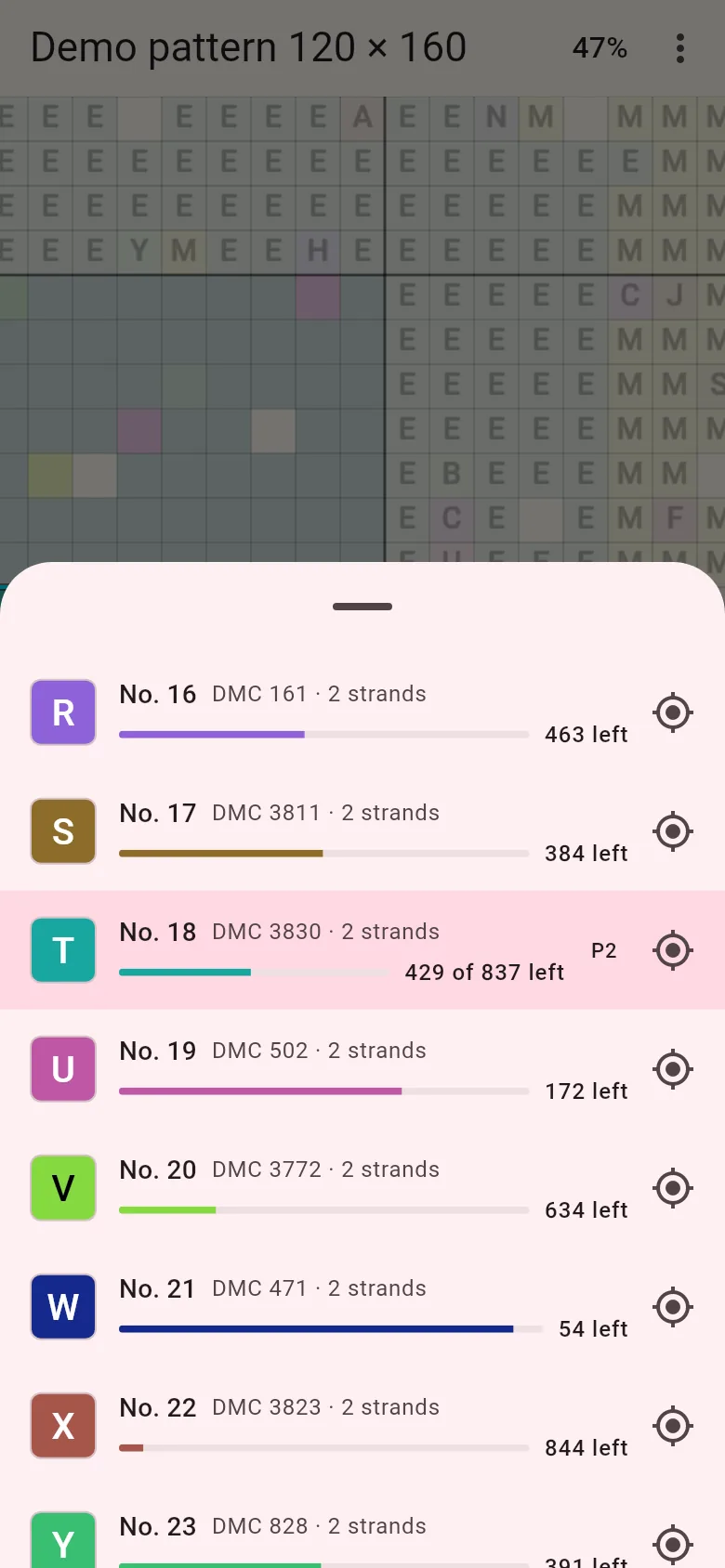
  • The key in your kit's order

    Threads numbered 1, 2, 3 and on, exactly as printed in the kit, with the DMC number, strands and how many stitches of each colour are left.

    The thread key: kit numbers 16 to 23, DMC numbers, strands, a progress bar and stitches left for each colour.
  • One colour at a time

    Pick a thread and the other colours fade. One tap jumps to the next stitch of that colour.

    Thread 18 selected: stitches left, stitched and total, with buttons to show all colours and mark all of this colour in view.
  • Mark the way you stitch

    Tap a cell, drag across an area or fill a whole 10×10 square. Undo is one tap away. Park a thread in a cell corner and come back to it later.

    A long press on a cell opens a menu: park the thread in this corner, mark the 10×10 square, mark the rest of the row.
  • Know when you will finish

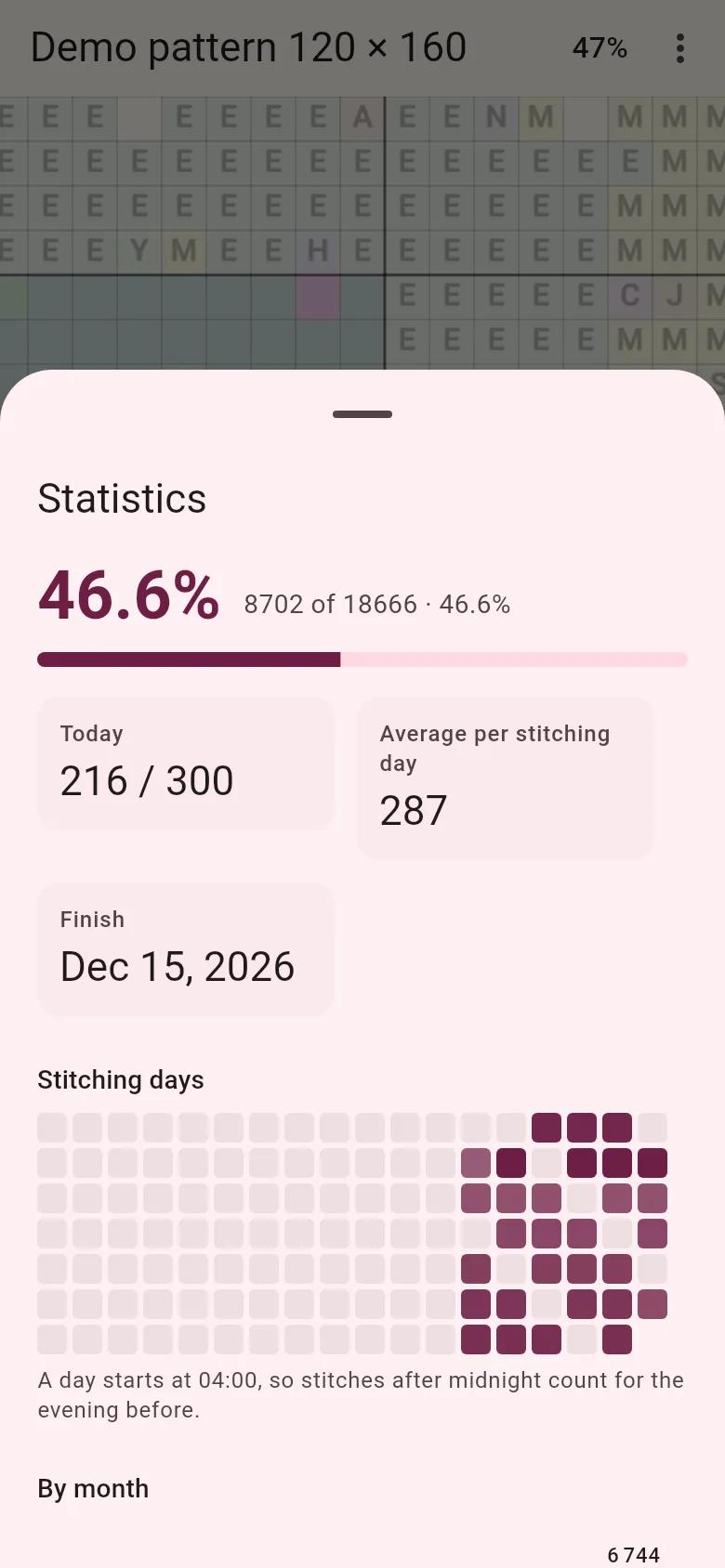
    Stitches done and left, per colour and per day. After a few stitching days the app estimates your finish date.

    Statistics: 46.6% done, 216 of 300 stitches today, 287 a day on average, estimated finish date and a calendar of stitching days.
  • Easy on the eyes

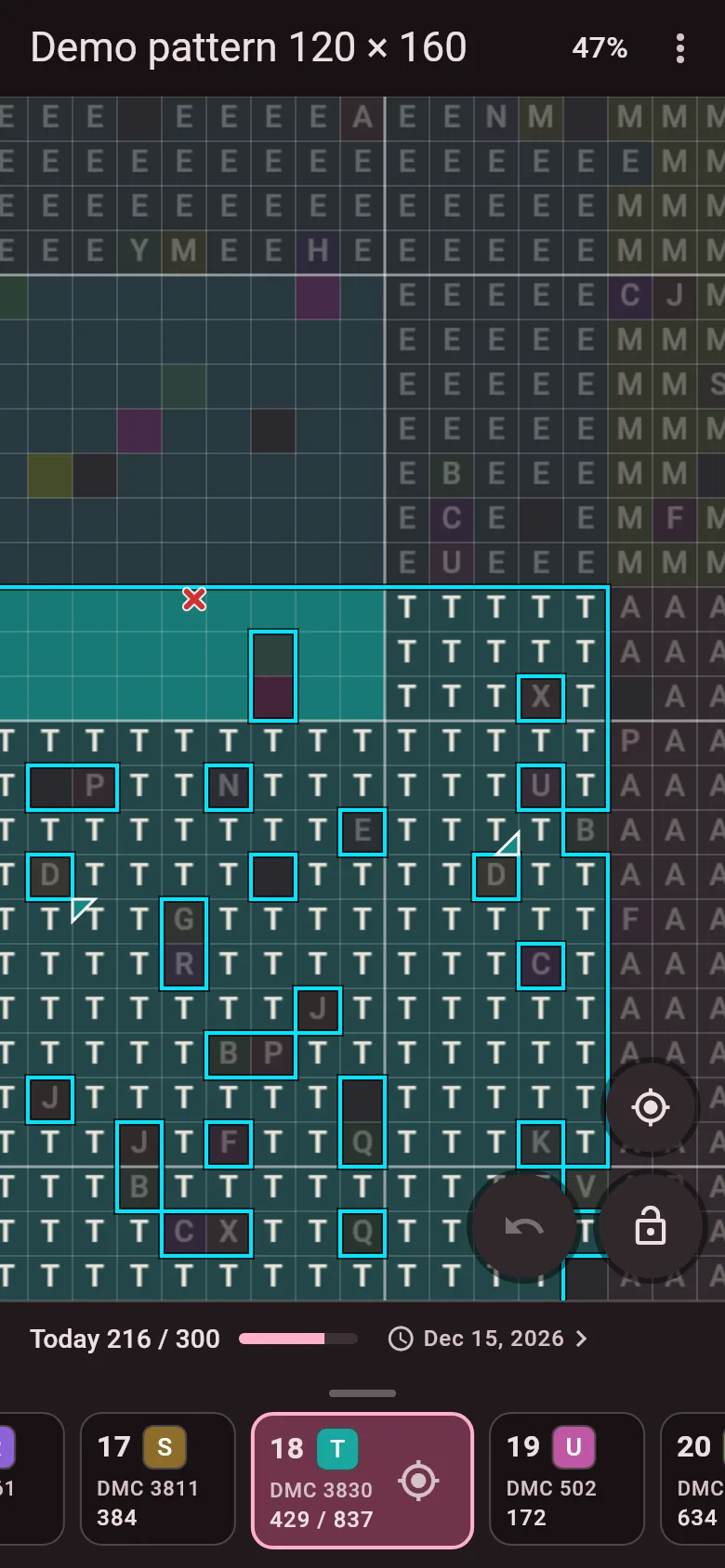
    Light or dark theme, and a high-contrast chart with black symbols and a bold grid.

    The chart in the dark theme with the thread key at the bottom.

Shown on the chart: full, half, quarter and three-quarter stitches, petites, backstitch, french knots, beads and blends.

Free, with no catch

  • Free

    Every Abris Art pattern and importing your own files. No subscription, no paid features.

  • No ads

    Nothing between you and the chart.

  • No account needed

    Open the app and stitch. An account is only for having your progress on more than one device.

Your progress stays with you

One progress on iPhone, iPad and Android

Sign in with Apple, Google or email and the stitches you mark on the phone are on the tablet too. Stitched on both while offline? The marks merge when you are back online.

The app on a tablet: the chart on the left, the thread key with stitches left per colour on the right.

Works offline

Once a chart is downloaded, it opens without the internet. No licence check can lock your project.

Progress is never lost

Saved after every mark, even if the battery dies mid-row.

Every file has to open

A chart that does not open is a bug on our side, not a problem with your file.

  1. If the app cannot read part of a chart, it tells you plainly what and where.
  2. The app sends us the report together with the file.
  3. We fix the reader and add the file to our test set, so it does not break again.
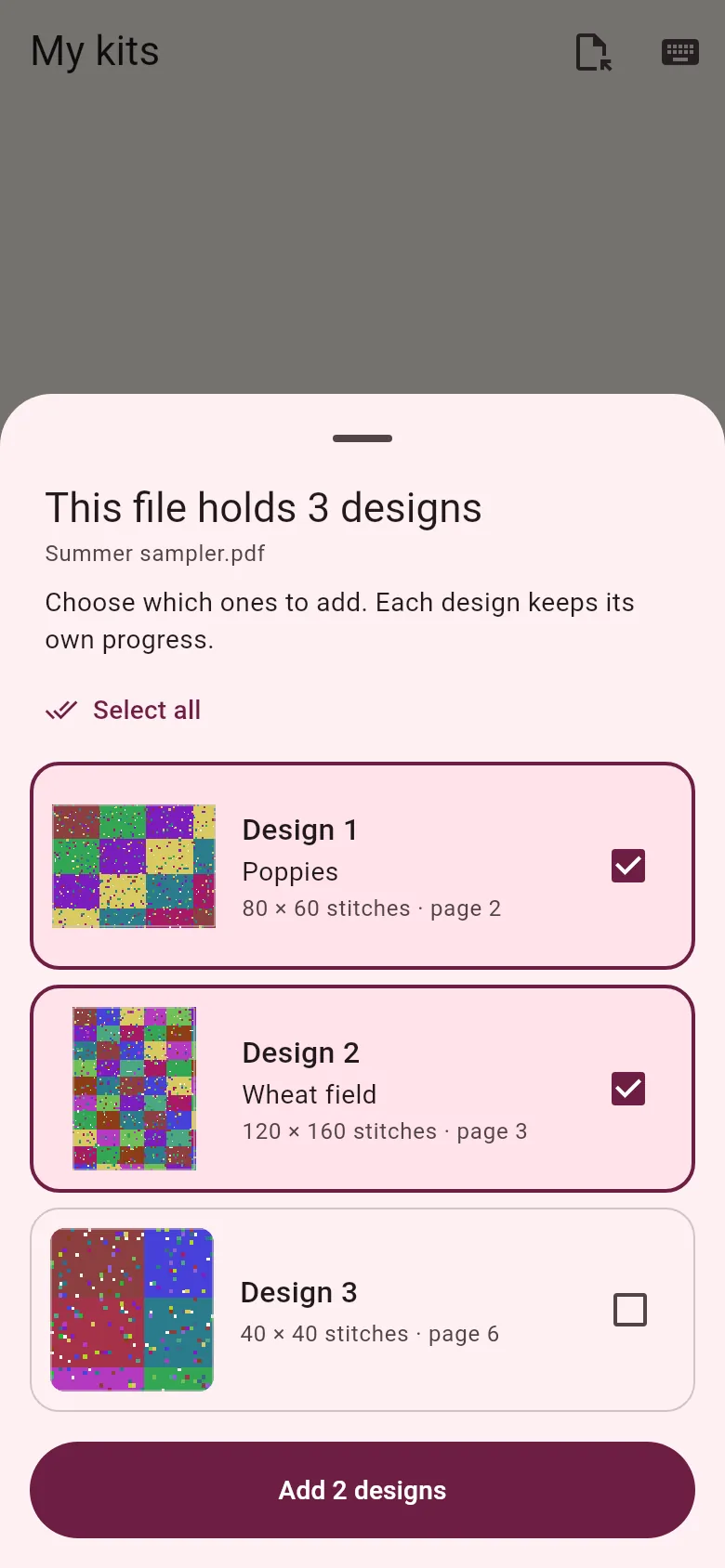
A PDF with several designs? Choose which ones to add. Each keeps its own progress.

Made by the people who make your kits

Abris Art has made needlework kits since 2007: more than 3 300 kits, sold in 47 countries.

The paper chart stays in every kit. The app is an extra that keeps your place, counts the stitches and shows how far you have come.

Abris Art kits

Questions and answers

Is it really free?

Yes. The app, every Abris Art pattern in it and importing your own files are free. No ads and no subscription.

Do I need an account?

No. The app works without one. You only need an account to have the same progress on several devices.

Which files can I import?

PDF and OXS charts, and XSD files from Pattern Maker. XSD files are converted on our server, so they need the internet once.

Do the thread numbers match my kit?

Yes. Threads are numbered 1, 2, 3 and on exactly as on your kit's thread card. The DMC number is shown alongside.

Do I need the internet?

Only to download a chart. After that the app works offline, and progress syncs when you are back online.

Which devices and languages?

iPhone, iPad and Android phones and tablets. The app is in Ukrainian, English, Polish, German, French, Spanish, and Italian.

What happens to the files I import?

They stay on your device, in your own cloud copy, and a copy is kept on our server so we can fix import problems. Details are in the privacy policy.

How do I delete my data?

In the app: Settings, then "Delete account and data". Or write to [email protected].

Will kits still have a paper chart?

Yes, in every kit, always.

Start with the chart you already have

For iPhone, iPad and Android. Free, with no ads.

Download on theApp Storecoming soonGet it onGoogle Playcoming soon